
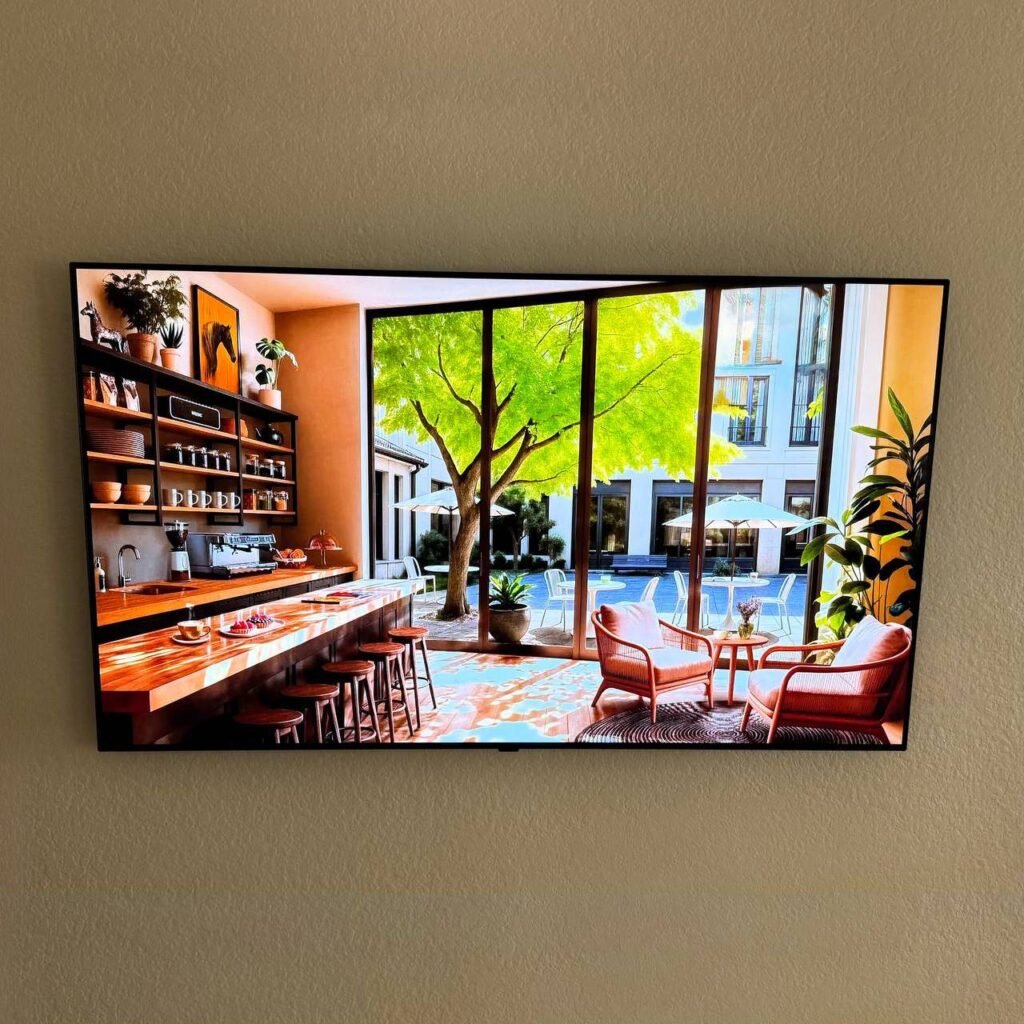
You’ve mounted your beautiful new TV on the wall. It looks amazing — except for the tangled mess of cables dangling down like a digital vine.
Black power cord. White HDMI cable. Gaming console wires. Soundbar connection. Streaming device plug.
Suddenly, that sleek wall-mounted TV looks unfinished.
The good news? Hiding TV wires is absolutely possible, even if you rent your home or have brick walls. And no, you don’t need to be an electrician.
In this guide, we’ll show you 6 professional methods to hide TV wires — from simple $20 solutions to permanent in-wall installations. Plus, we’ll tell you which method is best for your specific wall type and budget.
Why Hiding TV Wires Matters More Than You Think
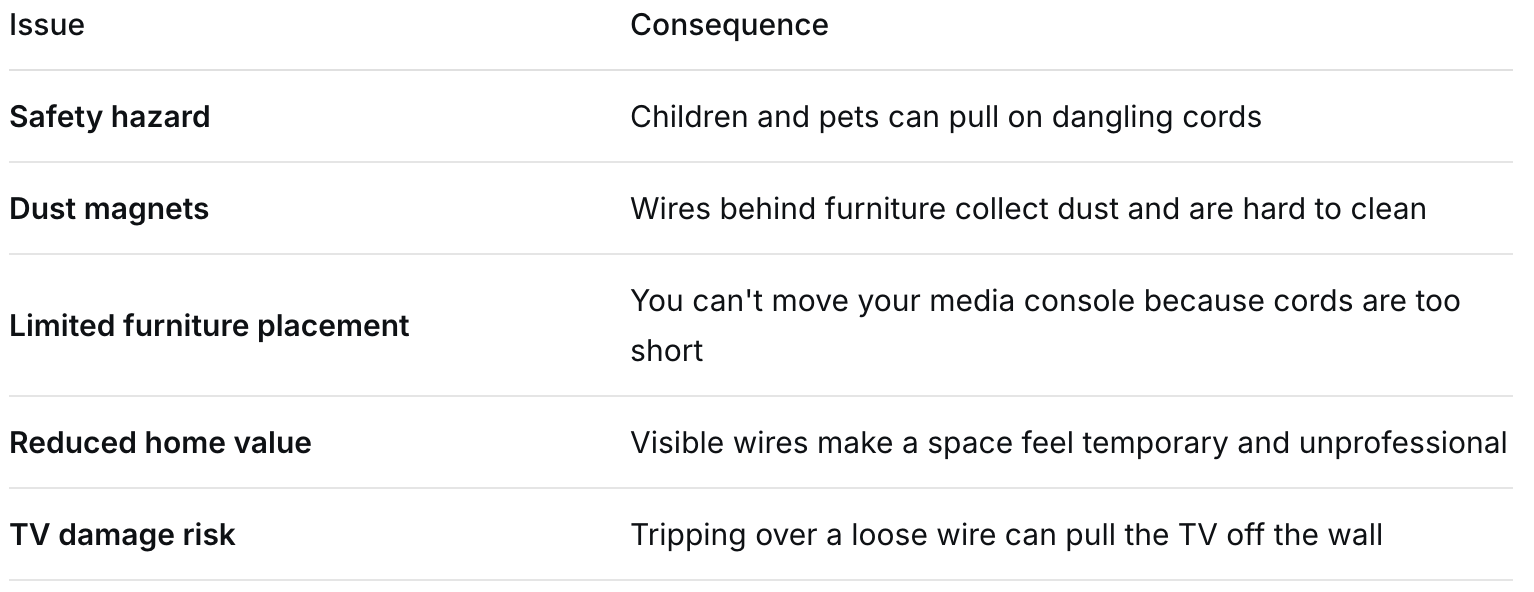
Before we dive into the “how,” let’s talk about the “why.” Visible wires aren’t just ugly — they cause real problems:
✅ Swift TV guarantee: Every installation we do includes no visible wires as a standard — not an upgrade.
Method 1 – In-Wall Cable Management Kit (Best for Drywall)
Difficulty: Moderate (or hire a pro)
Cost: 50–50–150 for materials
Best for: Homeowners with drywall who want the cleanest look
This is the gold standard for hiding TV wires. You cut two small holes in the wall — one behind the TV, one near the floor — and run cables inside the wall cavity.
What you need:
In-wall cable management kit (e.g., PowerBridge, EchoGear)
Drywall saw
Stud finder
Level
Step-by-step:
Locate the studs behind your TV location
Cut a hole for the recessed power kit behind the TV
Cut a second hole near the floor (aligned vertically)
Run the included flexible rods or fish tape between holes
Pull HDMI, power, and audio cables through
Install the wall plates and snap everything closed
⚠️ Important safety note: Do not run a standard power cord inside the wall — it’s a fire hazard. Always use a UL-listed in-wall power kit with proper Romex cable or an extension system designed for in-wall use.
✅ Swift TV approach: We handle the entire in-wall wiring process, including installing new recessed outlets behind your TV so no power cord is visible at all.
Method 2 – Cord Covers / Wire Raceways (Best for Renters & Brick Walls)
Difficulty: Very easy
Cost: 10–10–40
Best for: Apartments, brick walls, concrete, or when you cannot cut into the wall
Cord covers are paintable plastic or PVC channels that stick to the wall surface. You run your cables inside, then snap the lid closed.
What you need:
Self-adhesive cord cover kit (available on Amazon or Home Depot)
Scissors or utility knife
Paint (optional, to match your wall)
Step-by-step:
Plan your route — straight down from TV to floor is simplest
Cut the raceway to the desired length
Peel the adhesive backing and press firmly against the wall
Run your cables inside the channel
Snap on the cover lid
Paint to match your wall color (optional but recommended)
Pros:
No tools required (except scissors)
Removable without damaging walls
Works on brick, concrete, stone, tile
Cons:
Still slightly visible (though much cleaner than loose wires)
Can look like a “bump” on the wall
💡 Pro tip: Paint the cord cover the exact color of your wall before installing. It will practically disappear.
Method 3 – Behind-the-TV Power and Data Kit (Recessed Box)
Difficulty: Moderate
Cost: $80–200
Best for: A super-clean look with no visible cords at all
This method is similar to Method 1 but uses a recessed box that sits flush with the drywall. Your TV’s power cord and HDMI cables plug into ports that are hidden inside the wall cavity.
What makes it different:
Instead of running long cables down the wall, you install a recessed outlet behind the TV and a matching recessed data port near the floor. Then you use short 1–2 ft cables to connect everything.
✅ Best for: Samsung Frame TVs, OLEDs, or any TV where you want the “floating” look.
Method 4 – Use the TV Stand / Media Console Strategically
Difficulty: Easy
Cost: $0 (if you already have furniture)
Best for: When the TV is mounted just above a console or cabinet
Sometimes the simplest solution is the smartest. If your TV is mounted directly above a media console, you can hide wires by routing them behind the console.
How to do it:
Mount the TV so its bottom edge is 4–6 inches above the console
Run wires straight down the back of the TV
Let them drop behind the console (not visible from the front)
Use adhesive cable clips to keep wires flush against the wall behind the console
Limitation: This only works if your console is wide enough and deep enough to block the view of the wires from seated angles.
Method 5 – Baseboard Routing (Clever Alternative)
Difficulty: Moderate
Cost: $15–30
Best for: When you cannot go inside the wall and don’t want visible raceways
Instead of running wires up the wall, you run them down behind the baseboard.
Step-by-step:
Remove a section of baseboard near your TV
Cut a small notch in the drywall behind the baseboard
Run cables through the notch, behind the baseboard
Reinstall the baseboard (which now hides the cables)
Bring cables out near the floor to your devices
✅ Works especially well for: Surround sound speaker wires or Ethernet cables.
Method 6 – Professional In-Wall Outlet Relocation (Ultimate Solution)
Difficulty: Professional only (licensed electrician or trained TV installer)
Cost: Varies (ask for a quote)
Best for: Homeowners who want a permanent, flawless result
This is what Swift TV does best. Instead of hiding existing wires, we create a new electrical outlet directly behind your TV.
What that means:
No visible power cord at all
No cord covers or raceways
Your TV plugs into an outlet you cannot see
HDMI cables run through the wall to a hidden location
The process:
We locate studs and check for existing wiring
We cut a small hole for a recessed outlet box behind the TV
We run new Romex cable from a nearby outlet or directly from the breaker panel
We install a second recessed box near the floor for AV devices
Everything is permitted and up to code
“Andy came to my office and hung up a 65 inch Hisense frame TV. It looked great — he was able to use my wall mount provided and even moved a wall outlet for me to put behind the TV to give the more immersive feel.”
Doug Le, Costa Mesa, CA
Why Hire Swift TV Instead of DIY?
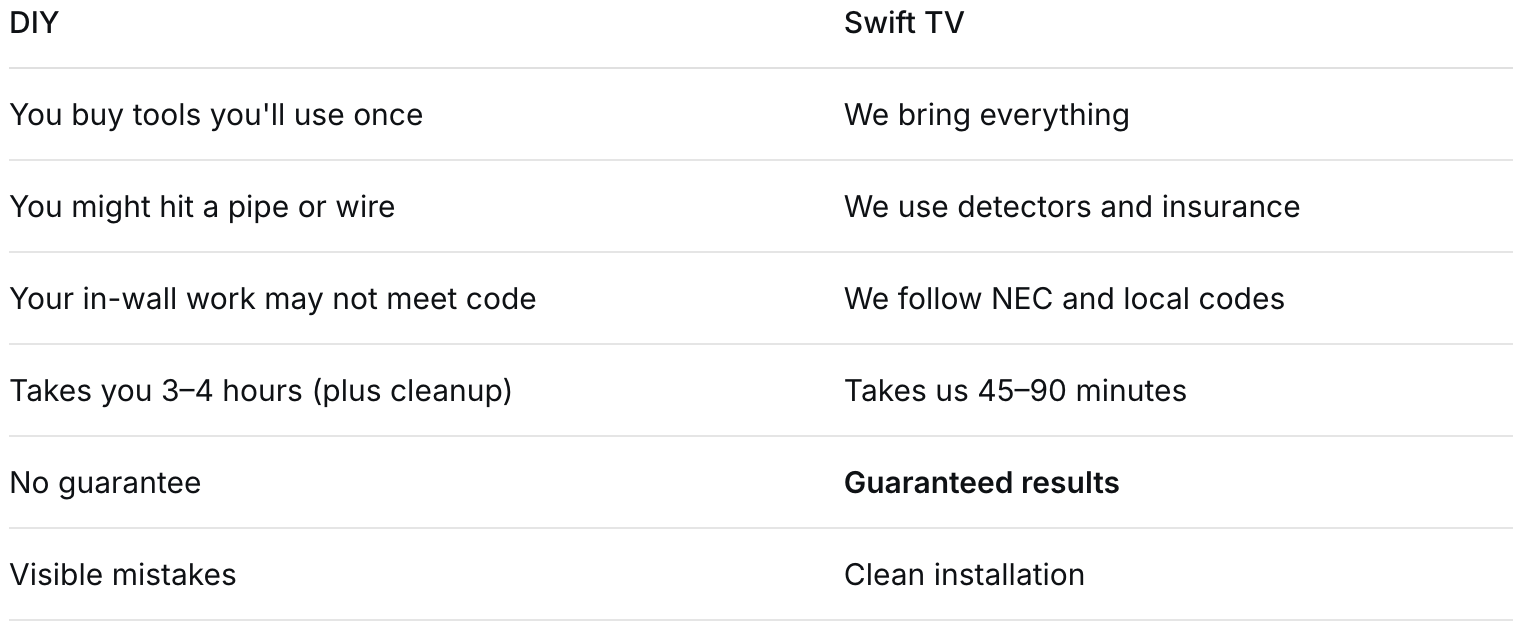
You can absolutely hide your own TV wires — especially with Method 2 (cord covers). But here’s why hundreds of Orange County homeowners choose us:
Plus: We’re trained to hide wires on brick, concrete, stone, and tile — surfaces where DIY is nearly impossible.
Hiding TV wires transforms your room from “cluttered” to “magazine-worthy.” Whether you choose a $20 cord cover or a professional in-wall outlet relocation, the result is worth it.
But let’s be honest: The best method is the one that gets done correctly, safely, and without stress.
📞 Let Swift TV hide your wires for good
👉 Free consultation – we’ll show you exactly how your wires will disappear
👉 Upfront pricing – no surprises, no hidden fees
👉 Clean installation with no visible wires – guaranteed
👉 Serving all of Orange County: Irvine, Costa Mesa, Tustin, Anaheim, Huntington Beach, Newport Beach, and more
Don’t let ugly wires ruin your beautiful TV. Call Swift TV today.